



Carlospin App
The Carlospin app gives players a faster way to open the platform on a phone or tablet and keep the same account across devices. It works well for short sessions, payment checks, and normal daily play.
We built the mobile version to stay simple on a small screen. Carlospin Casino also keeps your balance, recent activity, and settings under one login, so moving between screens feels easy.


Why players use the mobile version
Mobile play is not only about access. It is also about speed and comfort. Many players want to open the casino in a few seconds, check an offer, play a slot, or return later from another device. The Carlospin app supports that routine without extra steps.
This is also useful for players in the Netherlands, where many sessions begin on a phone during the day and continue later on a desktop or tablet. Carlospin Casino keeps the same account flow in each version, so the platform feels familiar every time you open it.
What the app actually is
The Carlospin application uses a browser-based format. You do not need to search an app store or download a large file first. Open the official site in your browser, save it to the home screen, and use that shortcut when you want to come back.
This approach keeps the platform lighter and easier to use. It also means the Carlo Spin application stays close to the main website. When we update the platform, the next session opens the newer version automatically. You do not need to search for a new package or install updates by hand.
What you can do inside it
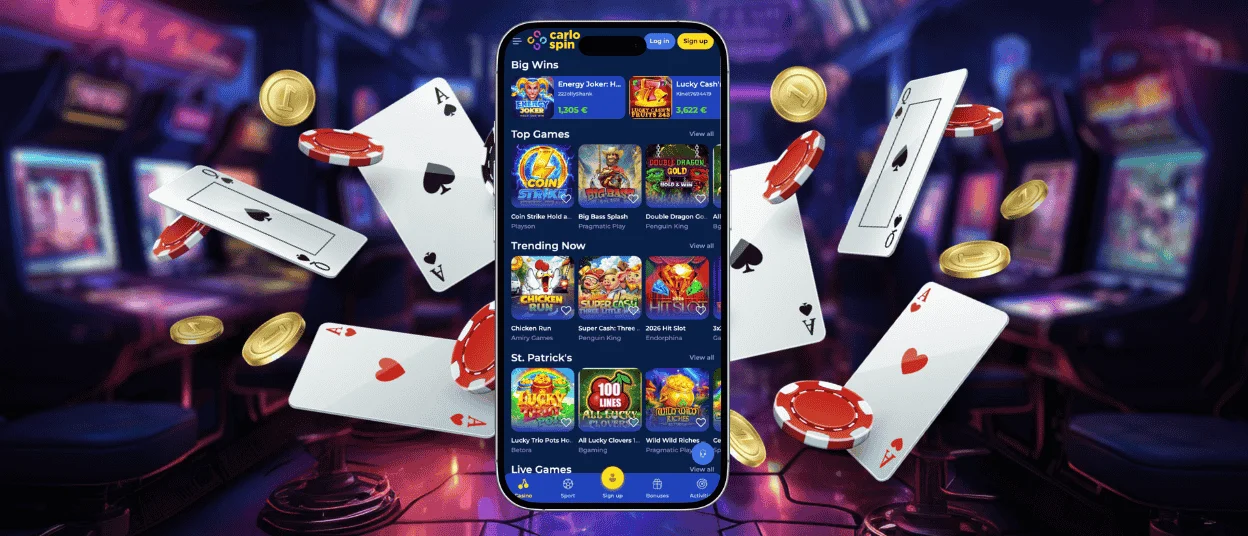
The Carlospin app keeps the main account actions in one mobile view. You can move through the lobby, use the cashier, check profile details, and open support without leaving the normal flow.
Players usually use the mobile version to:
- Open slots, live games, and current offers from the same lobby
- Use the cashier for deposits, withdrawals, and payment checks
- Review bonus progress, profile messages, and recent account activity
- Contact support when a game, payment, or login step needs help
This is where the Carlo Spin app becomes practical. It does not try to be a different product. It gives quicker mobile access to the same Carlospin casino account.

Carlospin app on Android
On Android, players can open the official site in Chrome or another current browser and save it to the home screen. After that, the shortcut works like a quick entry point and opens the platform straight from the icon.
The layout on Android stays easy to read. Buttons stay large enough for touch use. Search remains close to the header. Payment confirmations also feel smoother because many players already use the same phone for bank or wallet checks. The Carlo Spin casino flow fits this well, especially during short sessions.
Carlospin application on iPhone and iPad
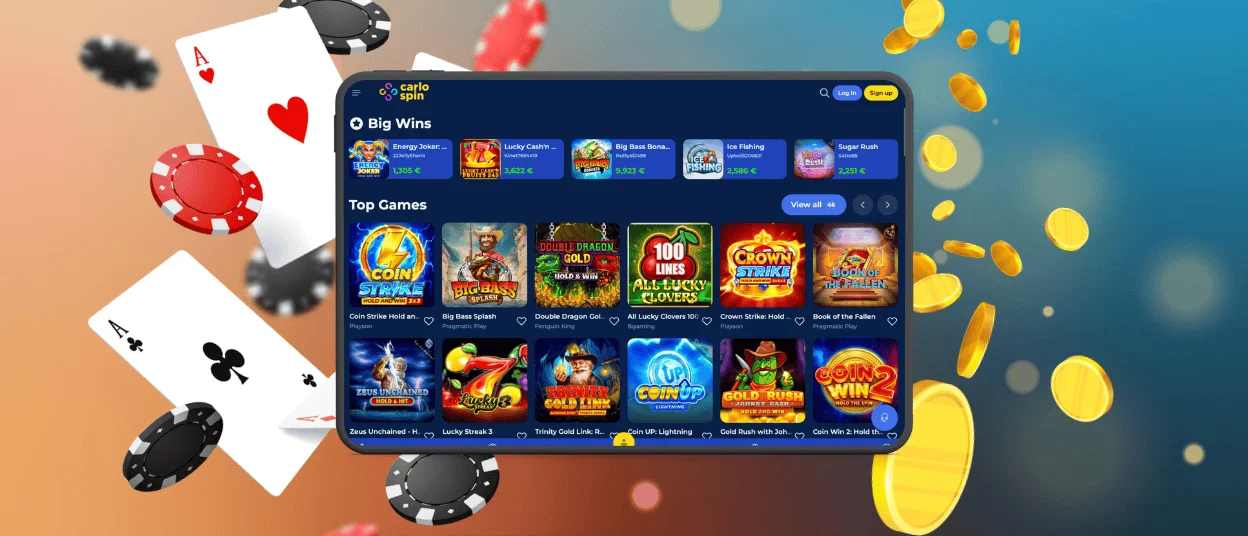
On iPhone and iPad, Safari gives the cleanest setup. It lets players save the shortcut to the home screen and open the Carlospin application in a more focused window with fewer browser elements on screen.
That makes a clear difference in daily use. The lobby feels less crowded. Category rows stay easier to scan. The Carlo Spin application also keeps the same profile logic as desktop, so game access, balance, and account tools stay linked to one account.
Best setup for smooth play
A good mobile session depends on more than the shortcut itself. The browser, the connection, and the device condition also matter. This section is worth checking before you start, especially if you plan to use live games or manage payments from your phone.
| What to check | Best choice | Why it helps |
| Main browser | Chrome on Android, Safari on iPhone and iPad | The shortcut setup works more smoothly |
| System version | A recent Android or iOS version | Pages load better and security stays stronger |
| Internet connection | Stable Wi-Fi or strong 4G/5G | Live games and cashier pages work more reliably |
| Browser settings | Cookies and pop-ups allowed for the site | Payment steps and login checks open correctly |
| Device space | Some free space for browser cache | The platform runs with fewer loading issues |
For Dutch players who often use mobile banking, this setup also helps during deposit and withdrawal checks. A stable browser and connection can save time when the session moves from the lobby to the cashier.
Mobile and desktop in one account flow
Some players stay on mobile. Others move between phone, tablet, and desktop in the same week. Carlospin Casino supports both habits with one shared account structure. That means you do not need a second profile just because you change the screen.
| Device | Best use case | What feels strongest there |
| Phone | Quick sessions and fast account checks | Speed and one-hand access |
| Tablet | Longer browsing and live games | More room for categories and tables |
| Desktop | Detailed account tasks and bigger sessions | Easier reading and wider lobby view |
The Carlo Spin casino account stays the same across these devices. You keep the same balance, the same settings, and the same profile tools.
Security and simple daily habits
The Carlospin application uses the same secure account environment as the main site. Login steps, payment actions, and profile changes follow the same logic on mobile and desktop. That gives players a safer and more consistent account flow.
A few simple habits improve mobile use:
- Save the shortcut only from the official website
- Use a current browser and system version
- Sign out after a session on a shared device
- Check payment details before you confirm them
These steps are small, but they matter. They reduce login problems, page errors, and payment mistakes. The Carlo Spin app works best when the device and the browser stay current.
FAQ
Do I need a separate account for the mobile version?
No. The mobile version uses the same account as the desktop. When you sign in on another device, your balance, account history, and settings are still there.
Does the app take up a lot of storage on my device?
Not much in most cases. The Carlospin application runs through the browser, so it does not need the kind of storage that a full app download usually takes. Most of what stays on the device is basic cache data.
Can I remove the icon without closing my account?
Yes. Removing the shortcut only takes the icon off your screen. The account itself stays active. If you want the shortcut again later, open the site and save it to the home screen again.
Why does the app sometimes look different from a normal browser tab?
The shortcut opens the platform in a cleaner mobile view. Some browser buttons disappear, and the lobby, games, and account menu get more screen space. That is why the layout does not always look the same as a regular tab.
What should I do if the mobile view loads badly or looks outdated?
Refresh the page first. If that does not help, close the current page and open the shortcut again. Clearing the browser cache can also help, because old saved files sometimes keep an older version on screen. If the issue stays, remove the shortcut and add it again from the official Carlospin site.


